Research companies
Scout finds companies using open sources, including OpenStreetMap. Multiple discovery methods support the research. Distance from a location helps teams assess the results.
Company research often ends in separate lists. Findings are collected, duplicate records are handled independently and corrections remain in individual copies.
Arkcanis Prospect Scout brings research and review together in a web interface. Your team finds companies, checks their records and tracks progress. Qualified prospects can then be passed into the sales workflow supported by the Arkcanis Automation Engine.

A company address starts as a research finding. Reviewing the record establishes whether the company matches your target profile and which details need to be added or corrected.
Scout supports this process:
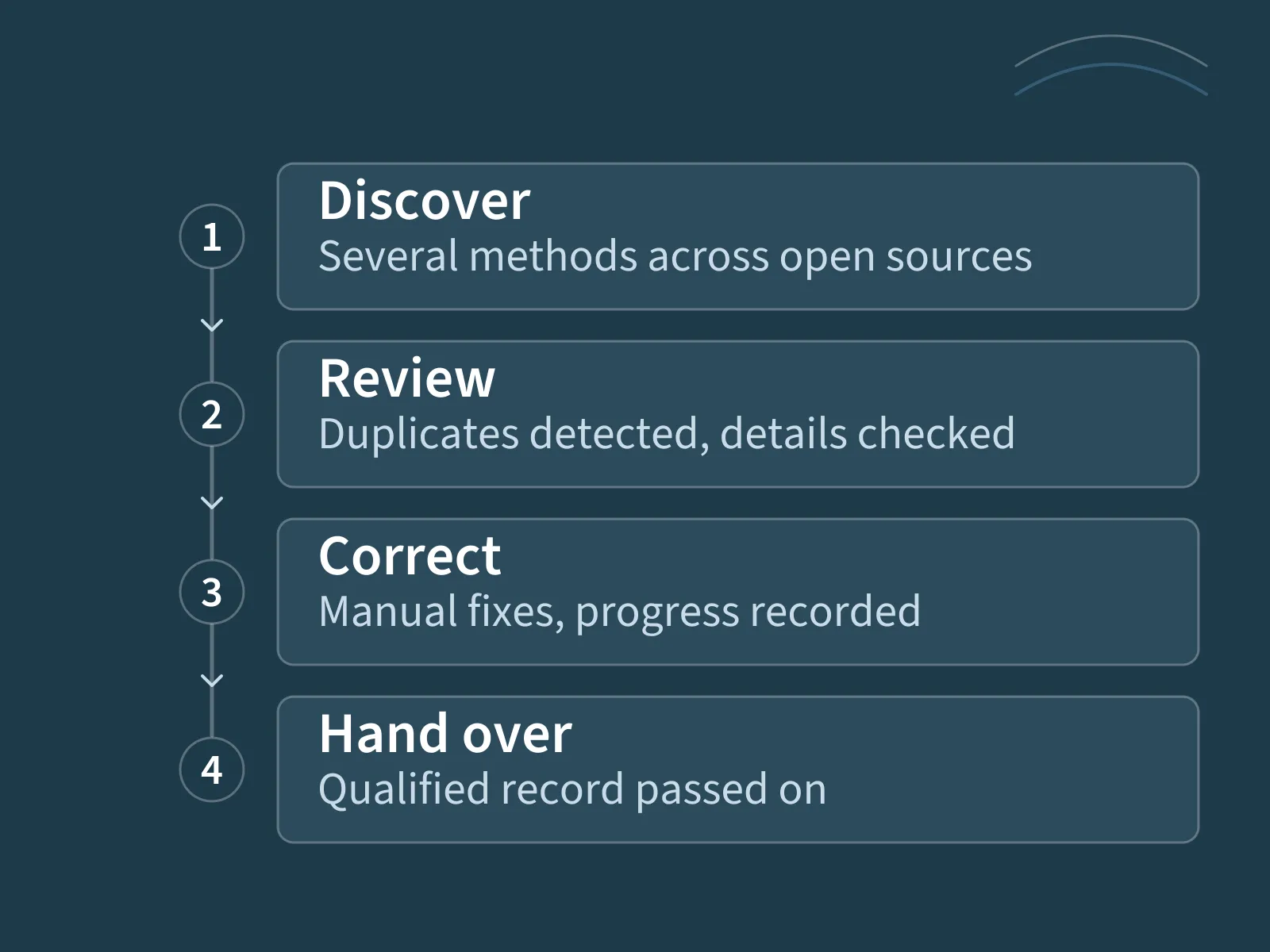
Scout finds companies using open sources, including OpenStreetMap. Multiple discovery methods support the research. Distance from a location helps teams assess the results.
Duplicate detection supports dataset cleanup. Information can be corrected manually before a record moves to the next stage or is handed over.
A worklist, traffic-light status and change history support a guided workflow. While a record is being edited, an editing lock prevents other users from changing it at the same time.
Reviewed and qualified records can be passed into the sales workflow supported by the Arkcanis Automation Engine. Research and subsequent processing gain a defined handover point.
Scout supports discovery and organises the work. Deciding whether a company fits your target group remains a professional judgement.
The search area, relevant company characteristics and handover criteria are defined for that purpose. The worklist helps your team complete the review step by step.
Scout is maintained and developed as a product, not as a one-off adaptation.
We do not name our clients unless we have their permission to do so. We handle every client that way — including you. We are happy to walk you through the workflow in a conversation.
Open sources provide starting points for research. Information may be incomplete or outdated and needs to be checked for its intended use.
Publicly accessible data is not automatically available for unrestricted use. We set out what matters — source terms including attribution requirements, personal data, retention — and configure Scout accordingly.
The legal assessment and the decision on whom to approach rest with you. A qualified record is a research result, not consent to be contacted. We do not replace legal advice.
We start by defining your search area, the company characteristics you need, suitable data sources and the intended review workflow. The handover to Jira Automation is also defined at this stage.
Setup, adaptations and ongoing services are proposed for this scope. The companies that can be discovered depend on the search profile and source coverage.
Scout prepares the qualified handover. Arkcanis Jira Automation then performs the agreed processing steps in the sales workflow.
This connects research with further qualification without requiring every handover to be repeated manually.
Where the researched data should not only land in Jira but flow into an analysis, building the data chain is part of the job — see data pipelines and ETL.
Tell us briefly what it is about – we will get back to you.