Solutions

Turn Leon data into answers. Numbers you can rely on.

Bring flights, invoices, empty legs and your fleet from Leon into a database that management reporting and dashboards can rely on.

Leon runs your flight operations. If you regularly need flights, invoices and operational data together for management reporting, you end up exporting several lists and matching them by hand — for every analysis again.

Arkcanis Leon2DB moves the data from the Leon interface into a database of your own. There it sits in a structure that financial analysis, dashboards and ad-hoc queries can work with directly.

Discuss your reportingExplore the Leon ↔ Jira integration
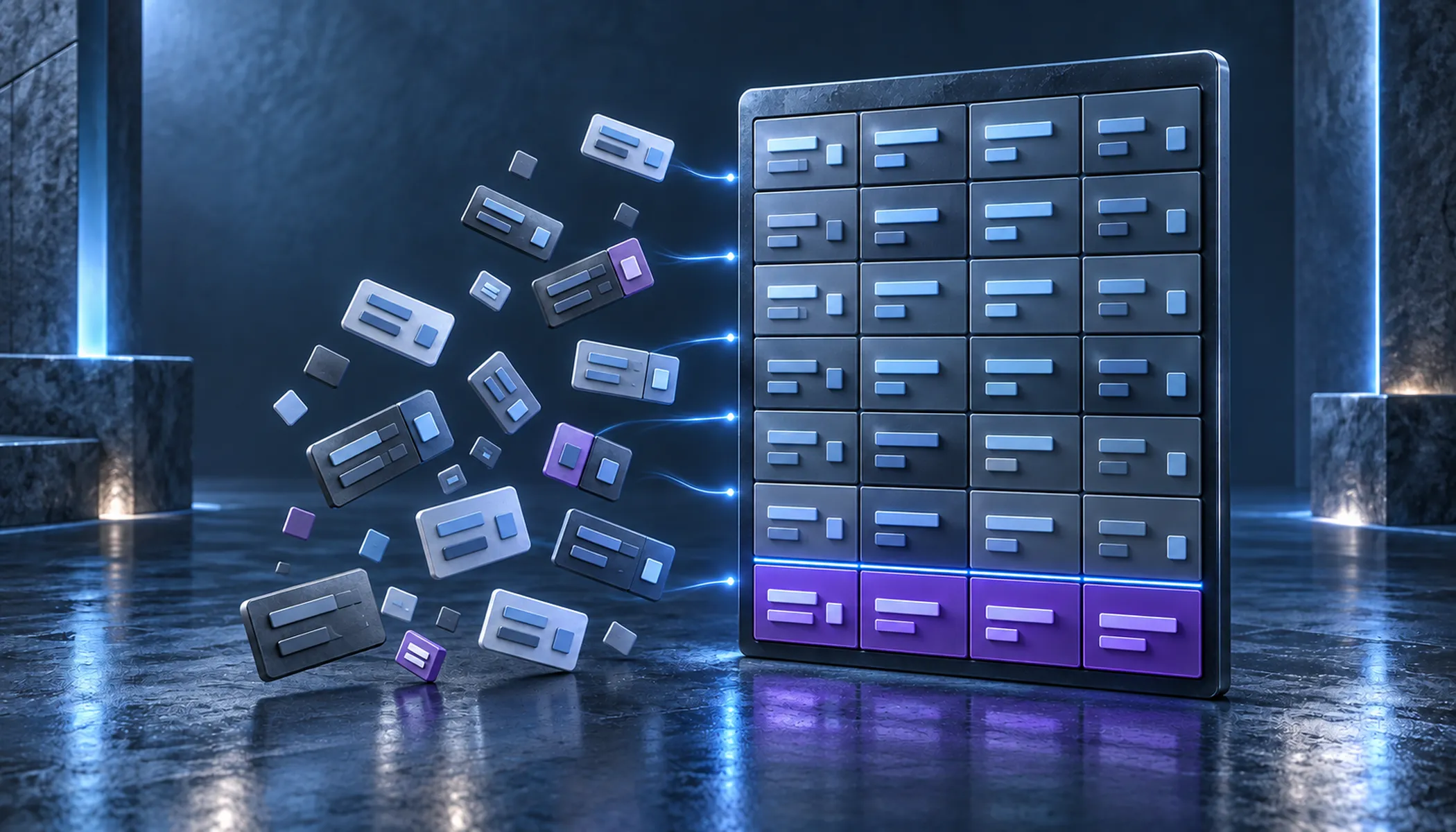
Scattered data points on the left become an ordered table on the right, with a violet total row

Why an export alone is not enough

An export gives you rows. They only become usable once the relationships hold: which invoice belongs to which leg, how an amount spreads across several flights, which credit note reverses which invoice.

Those relationships are not created by the export, but by the processing:

  • Bring flights, invoices and line items together
  • Distribute net amounts across the legs by distance
  • Match credit notes to the invoices they reverse
  • Surface gaps and errors in the data
  • Refresh the data within the agreed retrieval window, without reloading everything

Leon2DB performs these steps on every run, under defined rules.

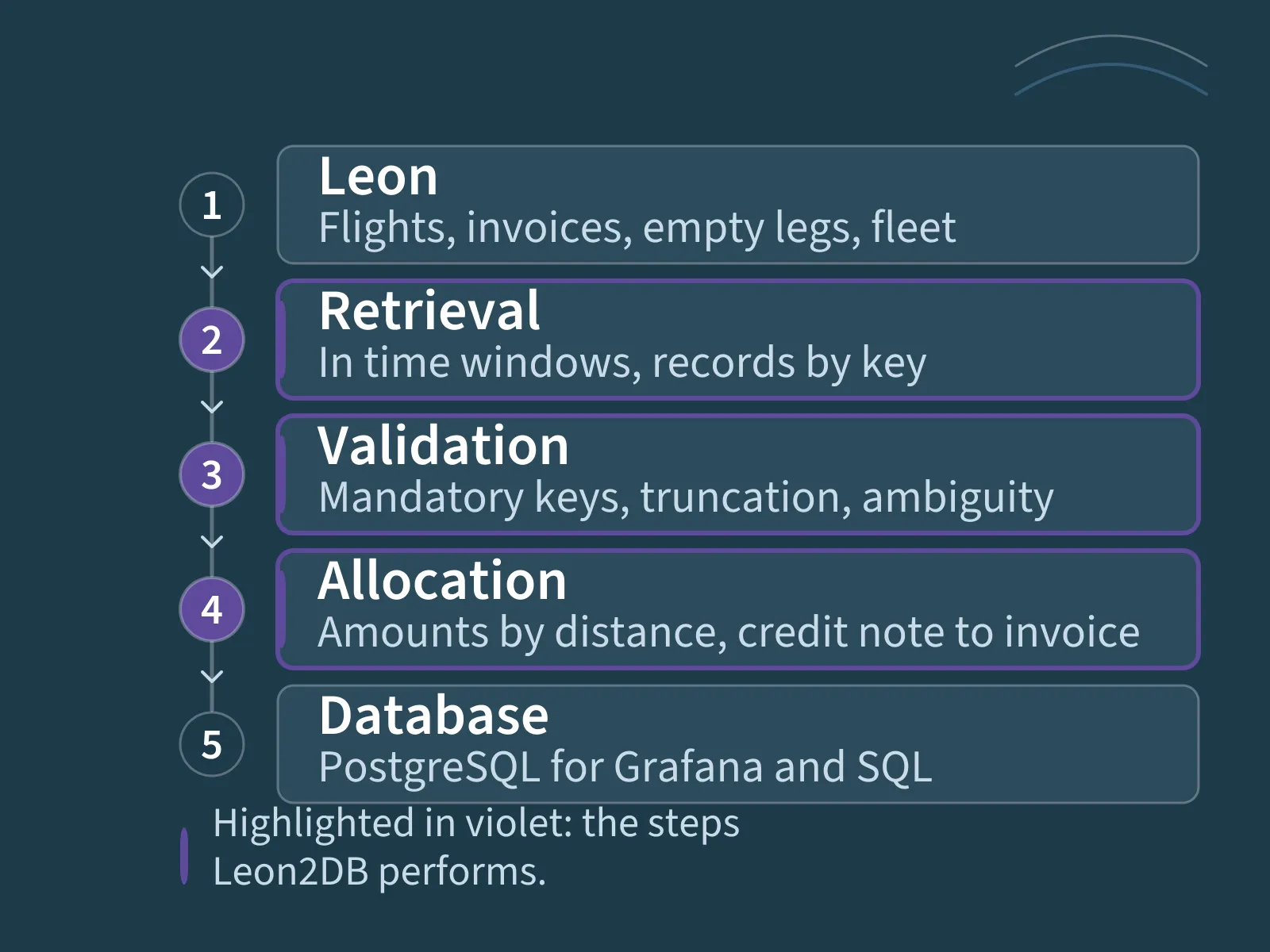
Flow from Leon through retrieval, validation and allocation into the database

Capabilities at a glance

Transfer Leon data

Flight lists with journey log data, invoices and their line items, empty legs and the fleet are retrieved through the Leon interface. Retrieval runs in configurable time windows; existing records are replaced by their keys. A full rebuild of the database is not required.

Match invoices to flights

Net amounts are distributed across the associated legs by distance, or evenly by their number where distance is missing; the realization date follows the earliest flight start. For credit notes, Leon2DB scores the possible matches against fixed rules. Where two candidates score too closely, the match stays empty and is reported — rather than creating a wrong link.

Surface data errors

Records without their mandatory keys are not stored; they are reported with examples instead. Truncated text and ambiguous matches appear in the log as well. You can see what needs fixing in Leon.

Demonstrate with pseudonymised data

A dedicated operating mode replaces registrations, customer names, addresses and the operator prefix in flight and invoice numbers with stable substitutes. The same registration always maps to the same substitute, so the figures still add up. Amounts, times and distances stay unchanged — which values are sufficient for a given demonstration is something we check together.

Reporting in Grafana or plain SQL

The database is an ordinary PostgreSQL database. That opens it to any tool that speaks SQL — Grafana, reporting tools or a direct query.

Typical analyses from the data:

  • Revenue per aircraft, per period and per realization date
  • Revenue per flight hour
  • Flight output of your own fleet against subcharter share
  • Empty legs as sales potential
  • Invoice volume by invoice date, including reversed invoices

Which metrics you need, and how they are defined, we determine together. We set up dashboards on request — see Grafana dashboards.

Maturity and discretion

Leon2DB is maintained and developed as a product, not as a one-off adaptation.

  • Processing in time windows, repeatable and without double entries
  • A run lock prevents two imports from writing at the same time
  • Every run is logged with its status and period
  • Credentials and keys live outside the source code
  • The processing rules are covered by automated tests

We do not name our customers unless we have their permission. We handle that the same way for every customer — including you. We are happy to walk you through the process in person.

Implementation and scope of services

We need a Leon account with interface permissions, a PostgreSQL database and a contact who knows what the commercial fields mean. From that we derive the period to load, the records required and the metrics that matter to you.

Initial load and ongoing updates are planned separately: the initial load brings in the requested period once, after which updates run at the agreed interval. Acceptance includes a reconciliation against your own figures from Leon.

You receive the configured pipeline with scheduled retrieval, retrieval window and logging in your environment, plus the data model and a description of the processing steps, including how failed runs are handled. You run it from there; further development and support can be agreed separately.

Setup, adjustments and ongoing services are listed separately in the proposal.

If your data situation looks different

Three offerings touch Leon data, each for a different purpose: Leon2DB provides the fixed data model for reporting. The Leon ↔ Jira integration moves operational cases into Jira. Custom data engineering adds further sources, different target systems or processing rules of your own.

So where further sources come in — ERP, financial accounting, your own line-of-business applications — we build the connection as an engineering service.

Let's talk about your project.

Tell us briefly what it is about – we will get back to you.